AI and response
ProblemAfter-hours buyers may still be high-intent. Start hereAfter-hours response should be useful and honest
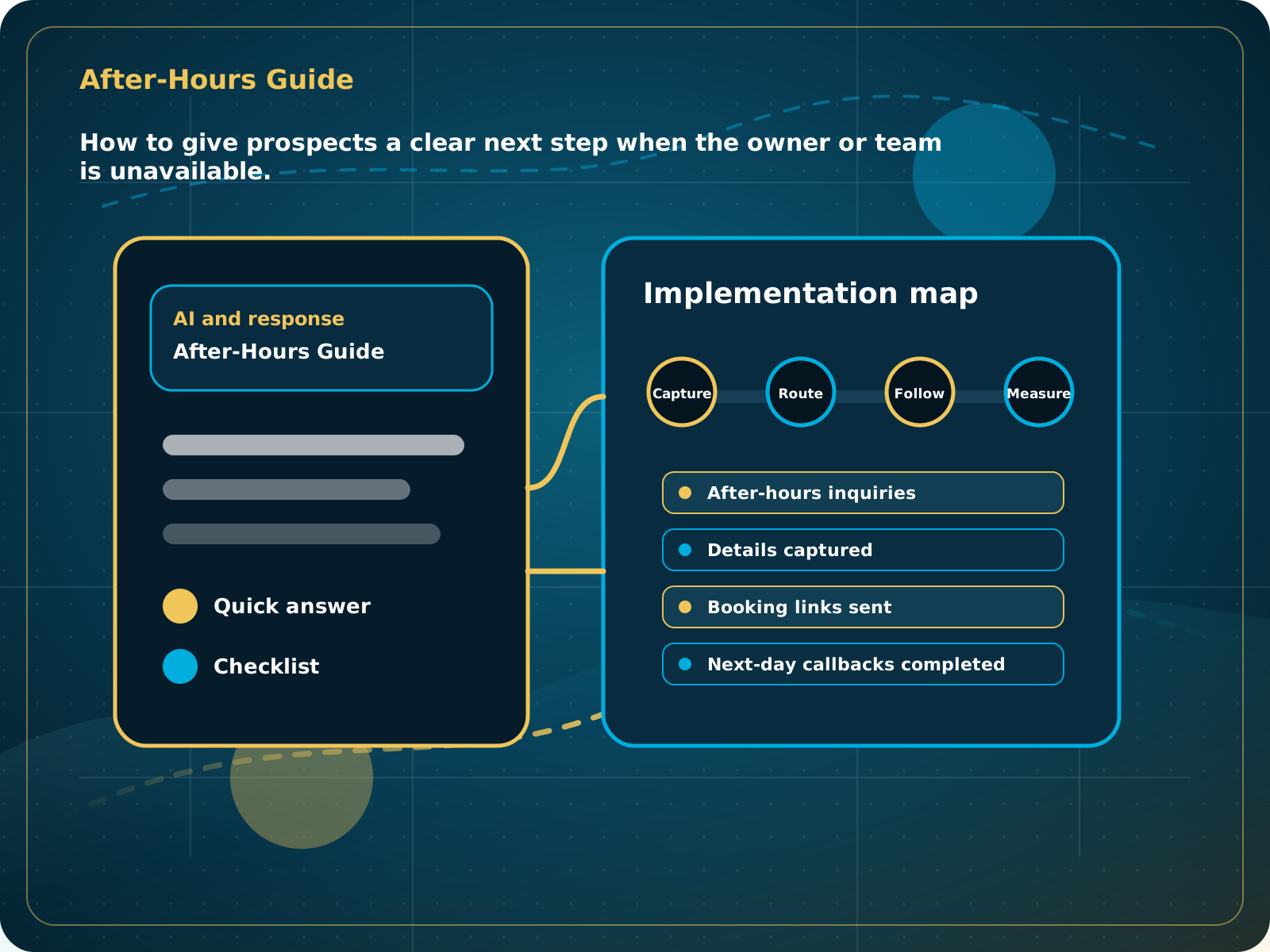
After-Hours Guide
How to give prospects a clear next step when the owner or team is unavailable.
Leads capturedConnected
AI responseConnected
Reviews requestedConnected
Follow-up sentConnected
After-Hours Lead Handling Guide
After-hours prospects get acknowledged, the business gets useful details, and staff have a clear morning follow-up queue.
Practical starting point
1Define after-hours coverage 2Separate urgent from normal 3Capture the essential details 4Offer the right next step
After-hours response should be useful and honest
A prospect does not need a fake promise that someone is available immediately. They need acknowledgment, a few useful questions, a realistic next step, and confidence that the business received the request.
Set the exact hours when AI, chat, voicemail backup, or a booking path should take over.
Define which issues need immediate escalation, which can be booked, and which should enter the next-business-day queue.
Collect contact information, service, location, timing, and a short description without making the conversation feel like an intake form.
Book when the rules allow it, share the correct scheduling path, or set a clear expectation for human follow-up.
How to give prospects a clear next step when the owner or team is unavailable.
Quick answer: After-hours lead handling gives prospects a response and next step when staff are unavailable, without promising what the team cannot deliver.
What to know first
After-hours buyers may still be high-intent. A simple response path can capture the opportunity without promising immediate human availability.
Keep this checklist nearby
- Answer or acknowledge the inquiry
- Capture the problem and contact details
- Set expectation on next human follow-up
- Offer a booking or quote request path
- Notify staff for high-priority inquiries
Step by step
Put this into practice.
Use the steps in order the first time. Once the process is working, keep the parts your business actually needs and review them on a simple schedule.
Define after-hours coverage
Set the exact hours when AI, chat, voicemail backup, or a booking path should take over.
Separate urgent from normal
Define which issues need immediate escalation, which can be booked, and which should enter the next-business-day queue.
Capture the essential details
Collect contact information, service, location, timing, and a short description without making the conversation feel like an intake form.
Offer the right next step
Book when the rules allow it, share the correct scheduling path, or set a clear expectation for human follow-up.
Notify the right person
Create immediate alerts for true high-priority inquiries and a clean morning review list for everything else.
Check the morning handoff
Confirm that after-hours leads have a CRM record, summary, stage, owner, and next task before the day gets busy.
Common mistakes to avoid
- Letting every after-hours call go to voicemail
- No booking path
- No morning review process
- No distinction between urgent and normal requests
What to measure
- After-hours inquiries
- Details captured
- Booking links sent
- Next-day callbacks completed
- Booked jobs from after-hours leads
When this is working
After-hours prospects get acknowledged, the business gets useful details, and staff have a clear morning follow-up queue.
How Lead Media Solutions connects this
AI Receptionist is built for after-hours response. Business Essentials includes it and connects the handoff into CRM tasks and automations.
AI Receptionist handles the after-hours conversation. Business Essentials adds the wider CRM handoff, tasks, messaging, and follow-up around it.
Best next step
AI Receptionist is built for this exact gap.
Related starting points
Choose the offer by the actual problem.
AI Receptionist
The business has a response-speed problem.
Test the AIFoundation System
The business has a trust and social proof problem.
Start Foundation SystemBusiness Essentials
The business needs the core operating system.
See Business EssentialsBusiness Essentials
Start with the 15+ page CRM-connected website inside Business Essentials.
Build the Core SystemGuide FAQ
Answer-focused summary.
What is the main point of the After-Hours Lead Handling Guide?
After-hours lead handling gives prospects a response and next step when staff are unavailable, without promising what the team cannot deliver.
Where should I start?
A prospect does not need a fake promise that someone is available immediately. They need acknowledgment, a few useful questions, a realistic next step, and confidence that the business received the request.
Can Lead Media Solutions help implement this?
Yes. AI Receptionist handles the after-hours conversation. Business Essentials adds the wider CRM handoff, tasks, messaging, and follow-up around it.
Where can active LMS clients get platform instructions?
Use the Lead Media Solutions Help Center for current button-by-button platform walkthroughs. This guide explains the business process and best-practice setup around those tools.