AI Receptionist
Call coverageAnswer every call with AI, or let the team answer first and use AI after a typical 8 to 10 second ring window. Offer$147/month plus usage. Foundation System is included, and the full AI layer is also included in Business Essentials.
Stop missing calls.
AI Receptionist includes Foundation System, then adds AI voice and website chat. Let it answer every call, or give your team the first chance and use AI as the backup when nobody picks up.
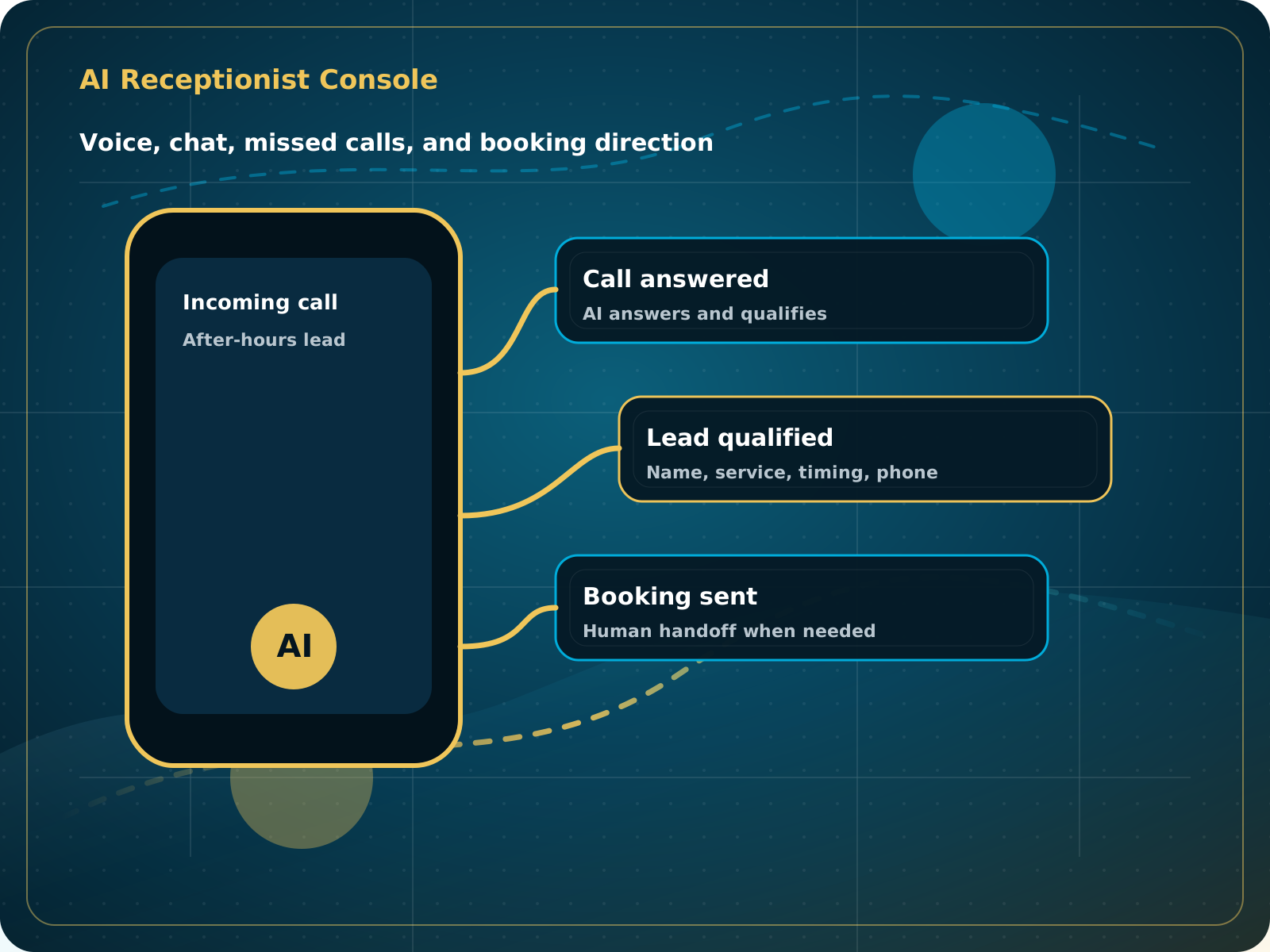
Missed call responseConnected
Website chatConnected
Lead qualificationConnected
Booking directionConnected
Interactive demo
Test the AI Receptionist before you buy.
Talk with the AI and see how a smart receptionist can answer questions, collect lead details, and guide a prospect toward the next step. This is designed to show what AI can do before a full setup.
- Ask it how it handles missed calls
- Test how it qualifies a lead
- See how it guides someone toward booking
Start AI Receptionist
Set up your AI front desk.
Complete checkout to start your AI Receptionist setup. After checkout, you will be guided to book your setup call and submit the business details needed for voice, call flow, FAQs, handoffs, and booking rules.
Flexible call coverage
You decide when the AI answers.
Use AI Receptionist as the first response for every call, or let your team answer first and use the AI as the backup. The goal is not to block real conversations. It is to stop unanswered calls from falling into voicemail or a full inbox.
AI answers first
The AI answers every inbound call, handles common questions, captures details, and follows your transfer or booking rules.
Your team gets the first chance
Your phone rings first. If nobody answers within the configured window, typically 8 to 10 seconds, the AI picks up instead of voicemail.
1Call arrivesThe customer calls your normal business number.
2Team ring windowYour team can answer during the configured 8 to 10 second window.
3AI covers the callIf unanswered, the AI responds before the caller reaches voicemail.
4Next step is handledThe AI answers, captures, updates, transfers, or books according to approved rules.
Built around your rules.
Ring timing, call transfers, staff notifications, service-area checks, and calendar selection are configured during setup. Custom invoicing, payment actions, integrations, or deeper workflows can be added by request and may require additional scope and cost.
Talk through your call flowPain point
Leads do not wait around.
Most local businesses lose opportunities because calls get missed, messages sit unanswered, or follow-up happens too late. AI Receptionist gives every new inquiry a faster first response and a clearer next step.
Calls happen while you are working.
AI can answer, collect details, and move the lead forward when your team cannot pick up.
Prospects search outside office hours.
The business can still respond, capture intent, and send the next step.
FAQ handling should not drain staff.
AI can handle common questions and route the conversation when a human is needed.
Chat can turn browsing into a lead.
Website chat captures details and guides visitors to request help.
Clear next steps reduce back-and-forth.
The system can share booking links, collect preferences, and notify the team.
Customer touchpoints become more consistent.
AI supports the larger review and follow-up system after the job is complete.
Comparison
Response time changes everything.
The faster a business responds, the more chances it has to turn interest into a real conversation.
| Situation | Manual follow-up | AI Receptionist | Business impact |
|---|---|---|---|
| Missed calls | Often delayed | Responds quickly | Fewer lost opportunities |
| After-hours inquiries | Easy to miss | Works after hours | Faster conversations |
| FAQ handling | Repeated questions take time | Answers common questions | Less staff pressure |
| Booking direction | Depends on availability | Shares next steps when appropriate | Cleaner lead handling |
| Review request follow-up | Inconsistent | Supports the review engine | Better customer experience |
AI call flow
Lead captured
What service do you need help with?
What city are you in and when do you need help?
Details saved. Next step sent.
Staff notified
Booking link ready
Follow-up queued
Give every call a useful response.
When your team is busy, AI Receptionist can answer, collect or update details, respond after hours, and move the caller toward a useful next step.
Use the right calendar for the situation.
The AI can ask about service, location, appointment type, and other approved details before using the matching booking or handoff rule.
Add deeper workflows when they make sense.
Invoicing, payment actions, integrations, or custom automations may be available by request and can require additional scope and cost.
Foundation System included
The review and social-proof tools are already part of AI Receptionist.
You do not need to buy Foundation separately. AI Receptionist includes the review link, QR code, feedback funnel, AI-personalized replies, social planner, positive-review posting, and website review widget.
Ask with a link or QR code.
Give customers a simple review path without requiring messaging registration in the standalone AI plan.
Use real review context.
Replies can acknowledge the reviewer, service, or area when those details are actually available.
Add personalized image requests by text.
Business Essentials adds compliant messaging setup and the automated customer-name image request workflow.
AI roles
Start with the AI role your business needs most.
Missed calls and after-hours calls
Best for customer questions, call capture, and booking direction.
Website visitors and FAQs
Best for lead capture and helping visitors request help.
Next steps and reconnecting
Best for keeping conversations moving without relying on memory.
Review replies and customer feedback
Best for consistent reputation support.
Setup process
Simple enough to test. Structured enough to trust.
Connect business info
Services, service areas, hours, FAQs, booking rules, and handoff instructions.
Set call and chat rules
Define how the AI answers, qualifies, routes, books, or escalates.
Test real scenarios
Run missed call, after-hours, FAQ, price shopper, and booking scenarios before launch.
Go live and improve
Review conversations and refine the AI over time.
AI Receptionist
$147/month + usage
$297 one-time AI setup fee. Foundation System is included. The entire AI Receptionist layer is also included inside Business Essentials when you want CRM, website, personalized review automation, and follow-up around it.
- Everything in Foundation System for reviews and social proof
- Review link, QR code, AI replies, social posting, and review widget
- AI voice receptionist
- AI website chat
- Lead capture and FAQ handling
- Full-time answering or 8 to 10 second no-answer backup mode
- Transfer, routing, and calendar logic where applicable
- After-hours response support
- AI setup, testing, and onboarding included with setup fee
- Usage billed separately
- Custom invoicing or deeper integrations available by scope
For voice-only forwarding setups, phone verification and A2P setup are generally not required the same way SMS-based systems are. If outbound voice or SMS automation is added, compliance requirements may apply.
Try AI Receptionist
Built for busy local businesses
Fast response, clear handoff rules, and practical lead capture.
AI Receptionist FAQ
Common questions.
What does AI Receptionist do?
It helps answer calls, respond to website chats, capture lead details, answer common questions, and guide prospects toward booking or the next step.
Can I test it before using it?
Yes. Use the AI demo on this page to talk to the AI and see how it can respond, qualify, and guide a conversation.
Is Foundation System included?
Yes. AI Receptionist includes the Foundation System review and social-proof tools: review link and QR code, AI-personalized replies, social planner, positive-review posting, and website review widget.
Can my team answer the phone first?
Yes. The AI can answer every call, or your phone can ring first. In backup mode, we typically use an 8 to 10 second window before the AI answers instead of sending the caller to voicemail. Timing and routing can be adjusted during setup.
Is AI Receptionist included in Business Essentials?
Yes. AI Receptionist is available as a standalone entry offer, but it is also included inside Business Essentials as part of the full CRM, website, reviews, AI, and follow-up system. Usage may still be billed separately where applicable.
Does this replace my staff?
No. It supports your staff by handling first responses, common questions, after-hours calls, and lead capture so your team can focus on real work.
Can it transfer calls to a person?
Yes. It can be set up to transfer or notify staff when a conversation needs a human.
Does AI Receptionist need A2P phone registration?
Standard voice-only forwarding setups usually do not require the same A2P setup as SMS systems. If SMS or outbound campaigns are added, compliance requirements may apply.
Can it book appointments?
Yes. It can ask qualifying questions and use the right booking path based on service, location, appointment type, staff, or other approved rules. More complex calendar and workflow logic may require additional scope.
Can it handle invoicing or custom actions?
Some invoicing, payment, integration, and custom workflow actions can be added. Availability and cost depend on the depth of the requested logic, systems involved, and testing required.
Does AI Receptionist include personalized SMS image review requests?
Not in the standalone plan. AI Receptionist includes Foundation System review links, QR codes, AI replies, social posting, and the review widget. The automated SMS image-request workflow begins in Business Essentials with compliant messaging phone setup.
Next step
Test the AI before leaving this page.
A few minutes with the demo will tell you more than another paragraph of explanation.